$ curl -fsSL https://download.jtlgrowth.com/products/install.sh | bash
Product key (JTL-XXXXX-XXXXX-XXXXX-XXXXX): JTL-7KQ2M-X9DFA-P4TZW-R8NCH
✓ Key accepted. It includes: bookkeeper
✓ installed ~/.claude/skills/bookkeeper
wired claude: routing in ~/.claude/CLAUDE.md
first win: Bea sorted 24 sample transactions, found 1 duplicate and 2 for you to check, and wrote the month report
✓ installed ~/.codex/skills/bookkeeper
wired codex: routing in ~/.codex/AGENTS.md
✓ Installed: bookkeeper
Bookkeeper
Your books sorted, and the month closed in plain English.
Bea lives in Claude Code or Codex. She reads your bank exports and receipts, sorts every line, keeps business and personal apart, and closes each month with a report you can read. She is not an accountant.
USD 997 one payment, yours to keep. In the Philippines: PHP 63,500.
What Bea does
Know where the money went, every month.
- Reads your bank files. CSV exports from your bank or card, and receipts as photos or PDFs.
- Sorts every line. Each one gets a plain category.
- Learns from you. Correct a merchant once and she remembers it.
- Business and personal apart. Personal spending moves out of the business books.
- Catches the odd ones. Duplicates and amounts much bigger than usual are flagged and held until you decide.
- Closes the month. Money in and out, spending by category, what changed since last month and what needs you, with a check that the totals match the bank lines.
- Report-only. She never moves money, pays anyone, logs in to a bank or files taxes.
What you need
What Bea needs to work, and who brings it.
You bring
- A Mac or a Windows computer. Bea lives on it.
- Claude Code or Codex on your own plan. Claude plans start at about USD 20 a month.
- Your bank or card exports as CSV. Most online banks have a download button.
- Your business name and currency. So the reports read right.
Installed for you
- Claude Code and Node. Added if they are missing.
- A sample business. With a sample month report, so you see what you get before your own data.
Only when a job needs it
- Receipts. Photos or PDFs, matched to the bank lines.
- Personal books. A separate folder for your own spending.
How buying works
Pay once, get a product key, install with one line.
Pay
GoTyme QR from any Philippine bank or e-wallet, or Wise from anywhere else.
Send your order
How you paid, a screenshot of the payment, your name and email.
Get your key
We confirm the payment and email your product key, within one business day.
Install
Mac: curl -fsSL https://download.jtlgrowth.com/products/install.sh | bash
Windows: irm https://download.jtlgrowth.com/products/install.ps1 | iex
Install call
Want us with you? Reply to your key email with two times that work for you. We send a Google Meet or Zoom link, you share your screen, and we watch each step with you. It comes with your key.
Pay
Two ways to pay, both one time.
In the Philippines: GoTyme QR
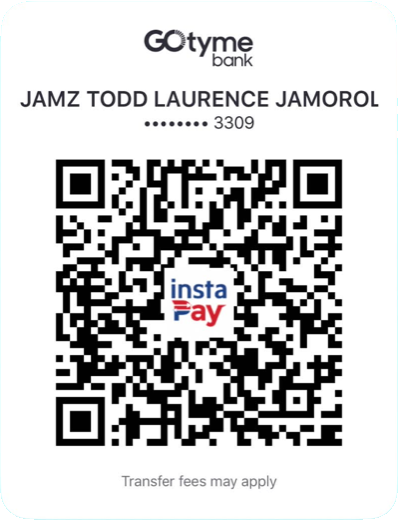
- Scan with GCash, Maya or any bank app (InstaPay).
- Amount: PHP 63,500.
- Take a screenshot of the receipt for your order.
Anywhere else: Wise
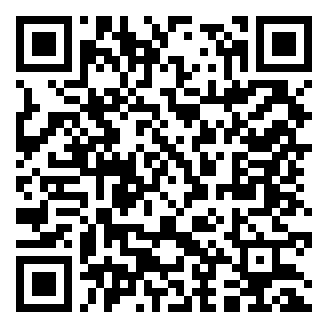
- Pay USD 997 by card or bank transfer, in your own currency.
- Take a screenshot of the Wise receipt for your order.
Send your order
Where should your key go?
Questions
Before you buy
What do I need?
See What you need above: what you bring, what the installer sets up for you, and what only some jobs need.
What computer do I need?
It works on a Mac with macOS 13 or newer, or on Windows 10 (version 1809 or newer) or 11, with 8 GB of memory (RAM) and 30 GB free. We recommend an Apple Silicon Mac (M1 or newer) or a Windows 11 laptop with 16 GB of memory and 512 GB of storage. For long or 4K videos: 24 to 32 GB of memory and 1 TB. The first install downloads about 3 GB and takes 15 to 40 minutes. The full table and every install screen: shop.jtlgrowth.com/guide
Is this a subscription?
No. One payment. Updates come through the same key: run the install line again.
Is this an accountant?
No. Bea keeps the books and writes the report. For taxes and filing, ask a licensed accountant.
Does it connect to my bank?
No. You download the CSV from your bank and give it to Bea. She never logs in to a bank or moves money.
Where does my data go?
It stays in a folder on your own computer. Your AI assistant reads what you give it on your own plan.
What if my bank file looks different?
Bea maps the columns and checks the date order. If a date could be read two ways, she asks instead of guessing.
How long until I get my key?
We check your payment and email your product key within one business day.
I lost my key.
It is saved on your computer in ~/.jtl/product.key. Not there? Reply to your key email and we send it again.
The whole team